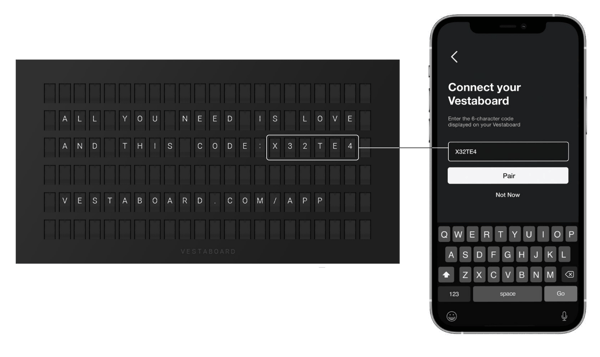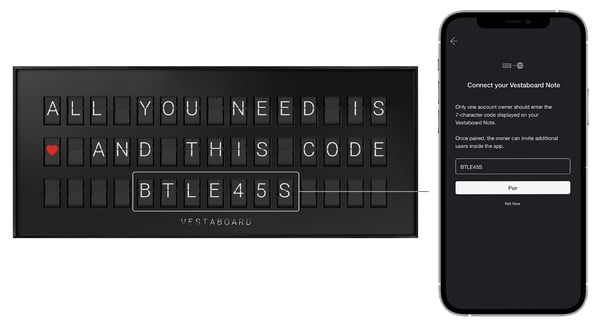
Your pairing code should appear after your Vestaboard has powered on for the first time and the frame is securely in place. Once the boot up sequence completes, a 6 (Flagship) or 7-character (Note) pairing code will appear depending on the display type.
The pairing code is for one-time registration, and only one designated owner should enter it. After onboarding is completed, additional users can be invited at any time from within the app.
Deleting or removing a display from your account will not generate a new pairing code. Once a pairing code has been used, it remains registered even if the device is temporarily offline.
Tip: If you still see the pairing code on the display after onboarding, do not delete the Board ID and start over. Instead, go to app settings and follow the steps to enter Recovery Mode.
If you purchased your Vestaboard secondhand or are unable to complete registration, contact our team and we'll help you get set up.