
Vestaboard Note is built in layers, from back to front:
-
Backplane: The core unit that houses all electronics, connectivity, power, and all 45 Bits. This stays in place at all times.
-
Fascia: A protective cover that sits over the Bits, keeping them securely in place. The fascia can be removed to access individual Bits for replacement or maintenance.
-
Optional Wall Frame: A wider bezel that fits over the fascia and backplane, giving Note a polished, framed look similar to the Flagship Vestaboard. This is designed for wall-mounted installations only.
Removing the Fascia
You'll need to remove the fascia to access Bits for replacement, perform maintenance, or initiate Recovery Mode.
- If you have the optional wall frame installed, remove it first by gently lifting it off the backplane.
- Gently lift the fascia away from the backplane. It should come off easily without tools.
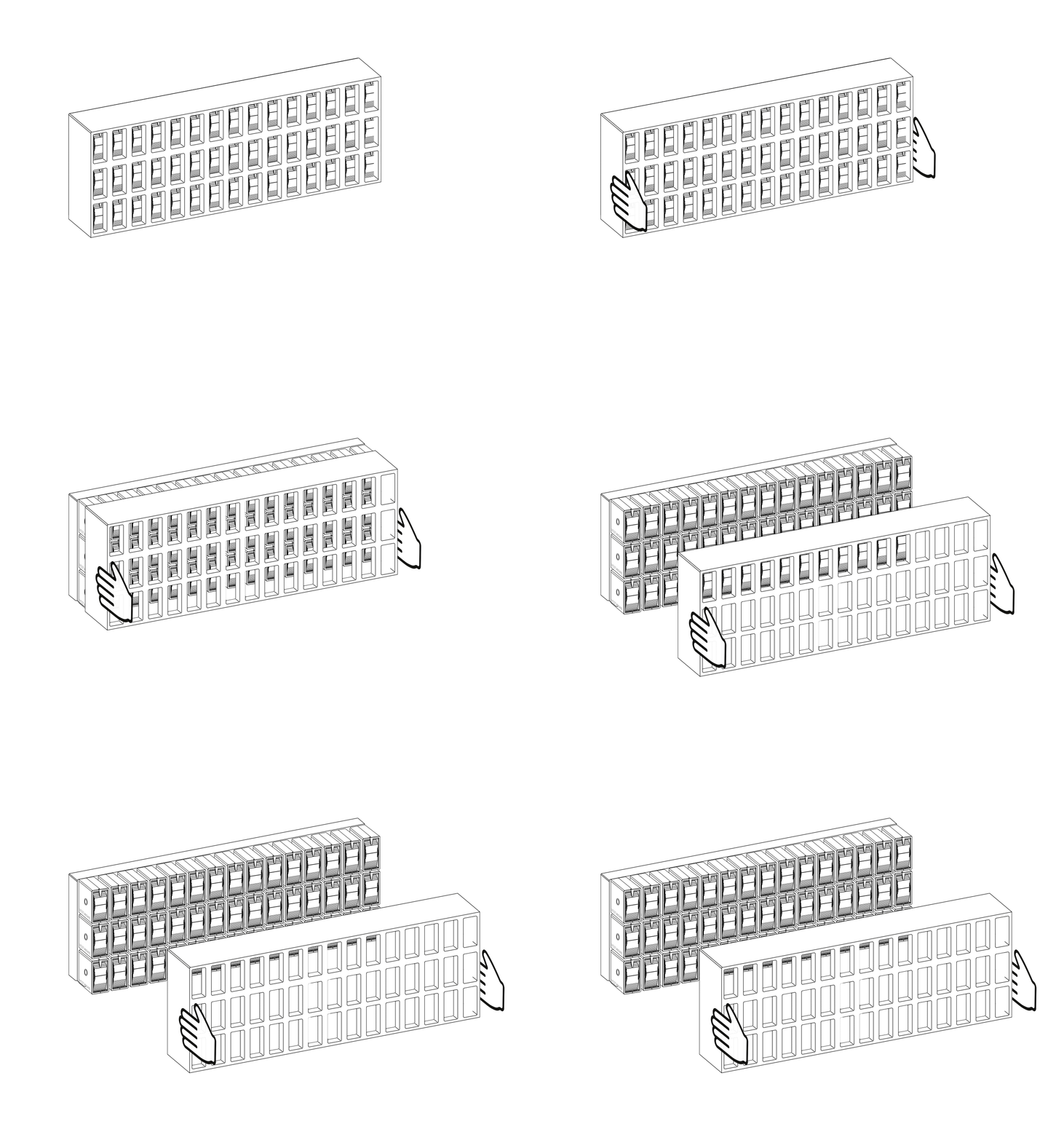
Reattaching the Fascia
- Align the fascia with the backplane and gently press it into place.
- Make sure all Bits are properly seated and aligned before reattaching.
- If wall mounting, ensure the fascia is attached to the backplane before hooking onto the wall plate.
Installing the Wall Frame
- Make sure the fascia is securely attached to the backplane.
- Carefully lift the wall frame and place it over the top of the backplane and fascia assembly.
- The frame should settle into place and the force of gravity will keep it secure.
When You'll Need to Remove Components
- Recovery Mode (Framed): Remove the frame first, then gently lift the fascia off for about 10 seconds, then reattach.
- Recovery Mode (Frameless): Gently lift the fascia off for about 10 seconds, then reattach.
- Bit Replacement: Remove the wall frame (if installed) and fascia to access individual Bits.
Important Notes
- The wall frame is designed for wall mounting only. It is not designed to support shelf or desktop installations.
- Always ensure the fascia is securely attached before powering on your Vestaboard Note or mounting it to the wall plate.